 RunFirst
How to Stop Checking Your Phone First Thing in the Morning (Walk First, Scroll Later)
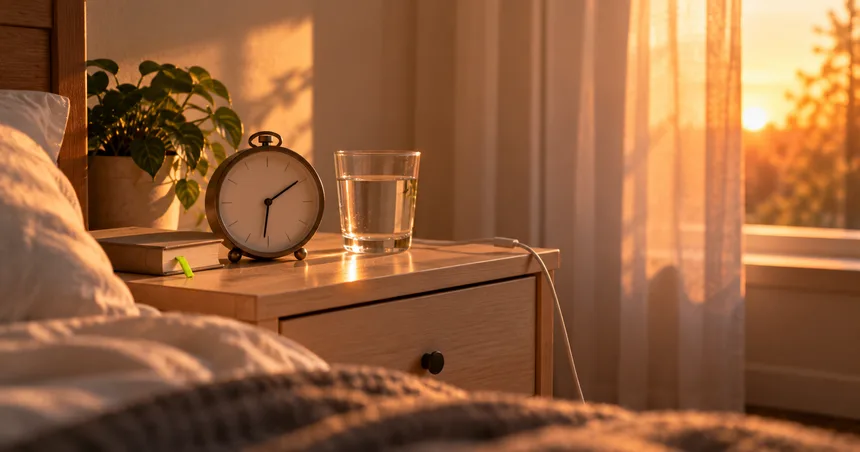
The alarm goes off. You switch it off, and your thumb is already on Instagram. Twenty minutes later you're still in bed, a little tired before the day has started.
If that sounds like your mornings, you're not lazy and you're not broken. You're following a habit that's set up perfectly: the phone is the first thing you touch, the apps are right there, and nothing else is asking for your attention yet.
The usual advice is "charge your phone in another room". That's a good start, but it leaves a gap. What do you actually do in those first minutes instead? This post fills that gap with a simple walk-first morning: a 7-day plan, plus a swap table for every "but I need my phone for..." excuse.
Before RunFirst, Instagram was the first thing I opened after waking up. The alarm went off and my thumb was already there.
Why the morning phone check is so hard to stop
The morning check isn't really a decision. It's a chain: alarm, phone in hand, unlock, one app, then another. Each step makes the next one easy.
So you don't beat it with willpower at 6:59 AM, half asleep. You beat it by changing the setup the night before and giving yourself a clear first thing to do. If the first thing you do is small, physical and outside the bed, the chain breaks.
A short walk works really well as that first thing:
- It gets you out of bed and out of the room. The phone stays behind or stays in your pocket.
- It's short enough to say yes to. Ten minutes is enough. The NHS says a brisk 10-minute daily walk has lots of health benefits and counts towards your 150 minutes of weekly exercise.
- Any activity counts. As the CDC puts it, some physical activity is better than none.
The night-before setup (5 minutes)
Most of the work happens before you sleep. Do these once and the morning gets much easier.
- Give the phone a new bed. Charge it outside your bedroom, or at least across the room, so you have to get up to reach it.
- Get a separate alarm. A cheap alarm clock is enough. If the phone is your alarm, the phone will be the first thing you touch.
- Put your shoes and clothes by the door. One less decision when you're sleepy.
- Pick your "phone time". Write down when you'll first check your phone, for example "after my walk" or "7:30 AM". "Later" is too easy to argue with in the morning.
- Schedule a phone break. On iPhone, Screen Time lets you block most apps for set hours. On iOS 26 and earlier this is Downtime; on iOS 27 it's Screen Time Schedule. You can keep calls and important apps under Always Allowed.
Honestly, my phone still sleeps next to the bed. That's the next setup change I'm working on.
"But I need my phone in the morning for..."
This is where most phone-free mornings fall apart. Here's a swap for each reason.
| You use your phone for... | Try this instead |
|---|---|
| Your alarm | A basic alarm clock across the room |
| Checking the time | The alarm clock, a wall clock, or a watch |
| The weather | Look out the window or step outside |
| Messages and emails | Check them at your phone time, after your walk |
| Family or emergencies | Keep those contacts under Always Allowed in Screen Time |
| Music or a podcast on the walk | Start it once, put the phone in your pocket, and don't scroll |
| "Just a quick look" at Instagram | That's the habit you're breaking. Save it for after your walk |
The goal isn't to never touch your phone. It's to stop the automatic check before you've done one thing for yourself.
The 7-day walk-first morning plan
Don't try to build a perfect morning routine on day one. Start with one rule: walk first, phone later. Then make it a little bigger each day.
| Day | Morning | Phone time |
|---|---|---|
| 1 | Get up with the alarm clock, drink a glass of water, walk 5 minutes | After the walk |
| 2 | Same as Day 1, walk 10 minutes | After the walk |
| 3 | Walk 10 minutes, then shower or get dressed | After you're dressed |
| 4 | Walk 10 minutes, the last few briskly (you can talk but not sing) | After you're dressed |
| 5 | Walk 10–15 minutes, then breakfast | After breakfast |
| 6 | Walk 10–15 minutes, then breakfast | After breakfast |
| 7 | Look back: which mornings felt best? Keep what worked | You choose, and write it down |
A few notes:
- "Brisk" uses the NHS test: you can talk but not sing.
- Repeat any day as often as you need. If Day 2 is still hard, do Day 2 again. It's not a race.
- Missed a morning? Don't make it up. Just walk tomorrow. The plan counts how often you show up, not whether every day was perfect.
- Can't get outside? Walk around your home, up and down the stairs, or on a balcony. Getting out of bed and away from the phone is the main thing.
- Walk feels easy now? When you're ready to turn the walk into a run, there's a 4-week starter plan for that.
This is a simple habit plan I put together, not a medical program. If you have a health condition or you're not sure walking is right for you yet, check with a doctor first.
This week I've still been picking it up before my 7 AM walk. The habit hasn't flipped yet — which is exactly why I'm writing this.
What to do when the urge hits anyway
You'll still feel the pull, especially in the first week. That's normal. Try these:
- Notice it and name it. "That's the morning check." Naming it gives you a second to choose.
- Ask one question: would it really matter if I saw this in 30 minutes? Almost always, no.
- Move first. Stand up, put your shoes on, open the door. The urge is easier to ignore once you're moving.
- Make the first check boring. Keep social apps off your home screen, so when you do pick up the phone, you see messages first, not a feed.
Mornings are a good place to start cutting screen time
If you want to cut screen time but don't know where to start, mornings are a good place. It's one clear window, it's the same every day, and when you win it, the whole day feels more like yours.
You don't have to fix your evenings or delete every app this week. Just win the first 30 minutes.
Where RunFirst fits in
I built RunFirst because "walk first, scroll later" is easy to say and hard to stick to. It's an iPhone app (iOS 17+) that keeps the apps you pick, like Instagram, YouTube or Netflix, locked until you walk or run. Every kilometre you cover earns screen time, so the walk becomes how you unlock the apps.
It comes with a 90-day plan that starts with a 10-minute walk and has rest days built in, plus Run Reels, Day and Week Cards to track your progress, Fight mode and a leaderboard. I'm sharing my own Day 1 to 90 here on the blog.
I'm on Day 2 of my 90 as I write this, so the morning check is still fresh for me too.
If you'd like a push out the door, the yearly plan starts with a 7-day free trial and then costs $29.99 a year. There's also a weekly plan at $4.99. The 7-day plan above works without it, too.
FAQ
How do I stop checking my phone as soon as I wake up?
Charge your phone outside the bedroom, use a separate alarm clock, and decide on one thing to do first, like a 5–10 minute walk. Only check your phone at a time you chose the night before.
How do I stop scrolling in the morning if I use my phone as an alarm?
Get a basic alarm clock. If you can't yet, put the phone across the room so you have to stand up to switch it off, and use Screen Time on iPhone to block social apps for your morning hours.
How long should I wait before checking my phone in the morning?
There's no magic number. Pick a clear point that fits your life, such as after your walk, after you're dressed or after breakfast, and stick to it for a week.
What should I do instead of scrolling in the morning?
Choose something small and physical: drink water, open the curtains, then walk for 5–10 minutes. After that, shower, get dressed or have breakfast before you pick up the phone.
Is it okay to listen to music on my phone while I walk?
Yes. Start your music or podcast once, put the phone in your pocket, and leave the apps closed until your phone time.
Drafted with AI assistance from research notes; fact-checked and edited by Devesh Babbar.